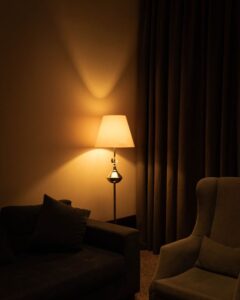
Tips for Creating a Cozy and Functional Home Workspace
Creating a cozy and functional home workspace is essential for maintaining productivity and comfort when working remotely or managing tasks at home. A well-designed workspace can boost focus, reduce stress, and make your workday more enjoyable. Whether you have a small corner or a dedicated room, these tips will help you design a space that looks inviting and works efficiently.
1. Choose the Right Location
Consider Natural Light
Natural light can improve mood and energy levels. Position your desk near a window if possible, but avoid glare on your computer screen. If natural light is limited, invest in good quality lighting that mimics daylight.
Minimize Distractions
Pick a quiet corner away from household noise. If space is tight, use room dividers or noise-canceling headphones to create a sense of separation.
2. Invest in Ergonomic Furniture
Comfortable Chair
An ergonomic chair supports your back and encourages good posture, reducing discomfort during long work hours. Look for adjustable height, lumbar support, and cushioned seating.
Practical Desk
Choose a desk with enough surface area for your computer, accessories, and workspace essentials. Adjustable desks that let you switch between sitting and standing are great options for improving comfort and health.
3. Organize with Purpose
Storage Solutions
Clutter can disturb focus. Use shelves, drawers, or storage boxes to keep supplies organized and out of sight. Labeling containers can help you find items quickly.
Cable Management
Keep cords tidy using cable organizers or clips. This not only looks cleaner but also prevents tangles and potential hazards.
4. Personalize Your Space
Add Plants
Indoor plants bring life to your workspace and can improve air quality. Easy-care plants like succulents or snake plants are great choices.
Use Inspiring Decor
Decorate with artwork, photos, or motivational quotes that boost your mood. However, avoid overcrowding the space to maintain a calm atmosphere.
5. Optimize Lighting
Layered Lighting
Combine ambient lighting with task lamps to reduce eye strain. A desk lamp with adjustable brightness is perfect for focused work.
Avoid Screen Glare
Position lights and screens to minimize reflections. Use adjustable blinds or curtains on windows to control sunlight.
6. Manage Noise
Soundproofing
If noise is an issue, consider adding rugs, curtains, or acoustic panels to absorb sound. These soft materials reduce echo and create a quieter environment.
White Noise
Background noise machines or apps can help mask distracting sounds and enhance concentration.
7. Keep Essentials Within Reach
Frequently Used Items
Arrange your workspace so that items you use often, like pens, notebooks, or chargers, are within easy reach. This reduces interruptions and keeps your workflow smooth.
Tech Setup
Ensure your computer, printer, and other electronics are positioned for comfortable use and easy access to power outlets.
8. Establish a Routine and Boundaries
Clear Work Hours
Set specific times for focused work and breaks to maintain balance. Communicate your schedule with family or housemates to avoid interruptions.
Designated Work Zone
Keep your workspace reserved for work activities only. This separation helps your brain switch into “work mode” and improves productivity.
Final Thoughts
Creating a cozy and functional home workspace doesn’t require a big budget or extra space. Thoughtful planning, comfortable furniture, and simple organization can transform any spot into a productive retreat. By tailoring your workspace to fit your needs and style, you’ll enjoy working from home more and achieve better results every day.